Your Website, It’s not just about price
Ever hear the old adage “Pay peanuts, get monkeys”, it’s one I use a lot and generally it’s true when it comes to your websites.
Your website, particularly if it’s a business website, is a vital part of your company’s marketing strategy. How much are you willing to pay per month to ensure that it stays online and is fast, responsive and constantly up? Surely more than a few quid each month?
There are lots of web hosting deals out there, some are priced at a level that’s too good to be true and others seem exorbitant. Try to find a happy medium.
Access To Your Files Is important for SEO
Being denied access to your website files is a major bugbear for me. It prevents me as an SEO from doing my job and prevents the client from moving their websites forward.
My day-to-day job is running an expanding SEO company, so I need access to my clients’ web hosting on a pretty regular basis.
New clients are asked to give me access to their server when onboarding. I always ask for this level of access so that I can be sure of being able to add or update important files on their website whenever I need to do so.
Files and SEO will need access to:
- Robots.txt
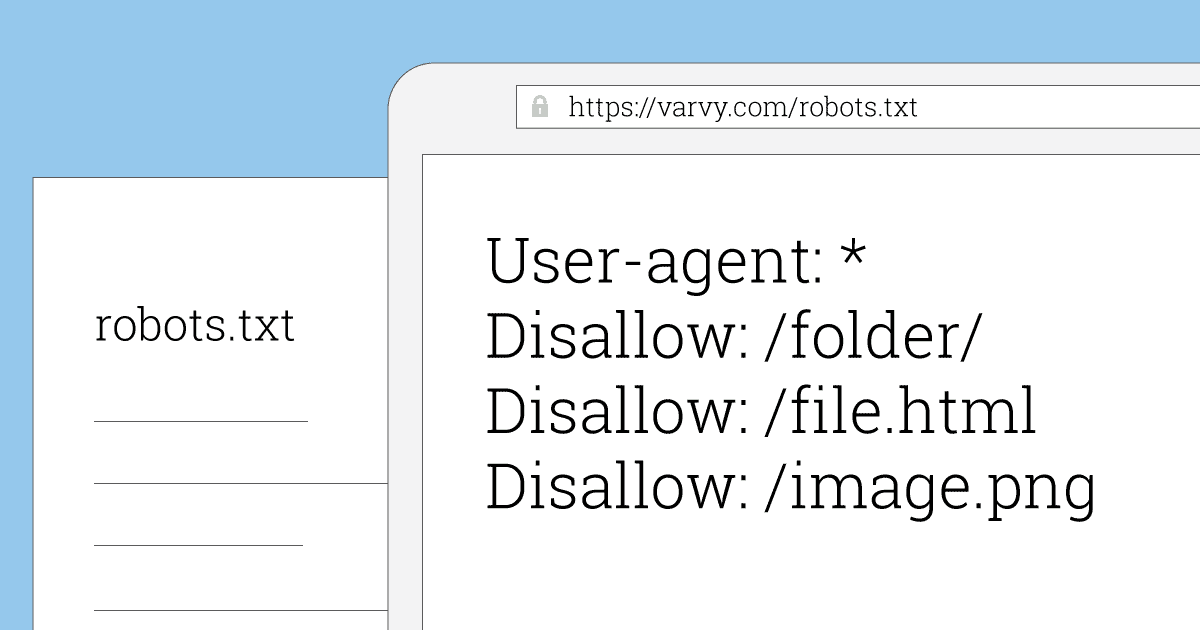 This is a file which tells web crawlers which pages to crawl and which to ignore. sometimes I’ll need to create this file for clients and sometimes make changes like ensuring the Sitemaps are declared or that certain pages are blocked from crawling.
- XML Sitemaps
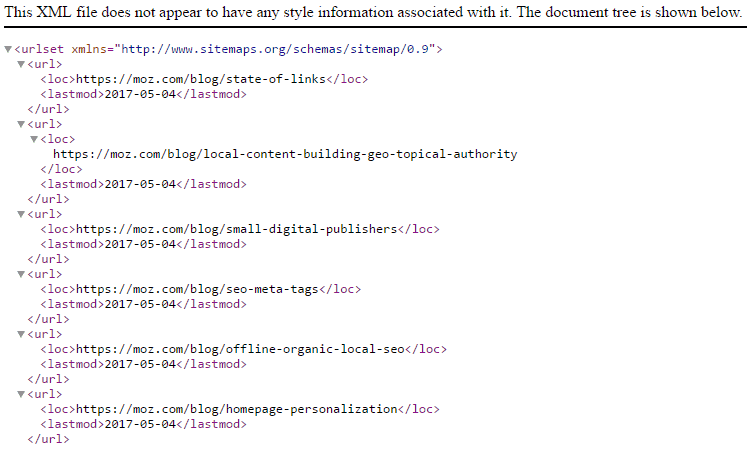
- Sitemaps are lists of all the pages within a website. Search engine crawlers use the sitemap, to ensure they can crawl and add each page to the search index. Most CMS systems today auto-generate an XML sitemap. However, there are instances where the sitemaps need to be manually generated or fixed. I need to ensure that any website I’m working on has an up-to-date sitemap.
- .htaccess
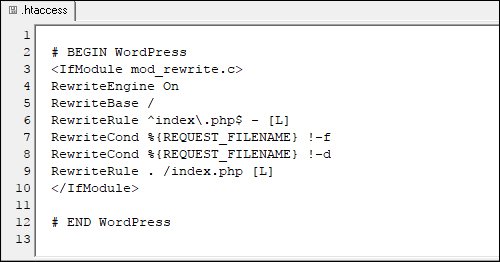 The .htaccess file is a configuration file supported by several web servers, used for directives of site-access issues, such as URL redirection, URL shortening, access control, and more. During the course of an SEO project, I’m likely to need access to all of these files at least once during the lifetime of a project. If I need access to these files, the likelihood is that the developers also need access to such files too. It’s essential that when you buy web hosting you have full access to every file on your website, they are your files, your property and nobody has the right to deny you access to them.
-
Web Hosting – Uptime vs downtime
In all honesty, as I said at the start of this article, I’m not an expert on servers. That said, what I do know is that any business owner wants to ensure their website is live for the vast majority of every day throughout the year.
Most web hosts will offer you this utopia when trying to get you to sign up but you should look very closely at the figures that they have on offer.
- A company offering 99% uptime might sound like a great deal, but in fact, that one per cent downtime means you can expect your website to be down for 7.3 hours in a month.
- 99.9% uptime means 43.8 minutes per month of downtime. This is more acceptable for a small business, and particularly one that isn’t an ecommerce site. This could well be acceptable if your website only ever went down in the middle of the night for a minute each day. The reality could be worse.
- 99.990% uptime is much better, offering 4 minutes 38 seconds of downtime in a month.
Regular Website Backups
You most definitely need to ensure that your hosting service includes automatic backups. In the past, I’ve been stung by web hosting that only offered manual backups.
This means the onus is on the website owner to make manual backups and store them. Ideally, you need a minimum of daily backups. This way, if data is compromised in any way you won’t have lost too much or have to spend multiple hours replacing lost content.
It’s important to remember that there are full website backups and database backups, you need to know which sort you need and what you’re paying for.
In both cases, you probably need to negotiate that your web host backs up both the website files and the database (if you have one) to a separate location so that you can check that it’s a complete backup and also perform a manual backup if necessary.
Your Website, Your Files
My final recommendation for web hosting goes back to access. The vast majority of website owners are not technical people.
They own a website but don’t necessarily understand or want to know about all its components. They just need it to work. This is an easy trap to fall into though. you never know when you may need to access your files or give a third party quick access.
If you have a client login to your host’s control panel you should be able to examine and manage all aspects of our website’s hosting from there. Some of the key things you can do with access to a hosting control panel are
- Add, edit, delete files
- Change the website’s URL
- Make changes to A records
- Create and manage email accounts
- Add a blog or ecommerce application
Whilst not essential to have such access, these control panels are now standard offerings when purchasing web hosting, it would be a shame not to make yourself as familiar with it as possible.
That way, if you need to, you’ll be able to take the appropriate action. Don’t leave this in the hands of your web host or web developer. Whilst the vast majority of web hosts are legitimate business people, some are unscrupulous corner cutters. Why take a chance?
In Conclusion
My main motivation for writing this blog post was to help small businesses that are looking for web hosting. I’ve come across some unbelievably dodgy web hosts in my time. Their behaviour was annoying at best and infuriating at worst.
How to Recognise Bad Web Hosting?
-
- You are denied access to your own files.
- Your site is hosted on shared servers that don’t offer individual logins and security to each website.
- Your site is WordPress (or similar) but the owner is denied administrator permissions.
- If you’re in a situation like this, demand changes or get out of the contract. Speak to us for advice on getting the right package for your business. My parting message is this: Your website belongs to YOU. Not to the web host. You should choose a host who accepts this and gives you the maximum level of assistance to get the most out of your website.
Related:

I’m Phil Gregory, the MD and founder of Peak District SEO.
I’m an SEO & Google Ads Consultant with 28+ years of experience in I.T and helping UK Businesses improve website performance.
I built my first website in 1998, then I discovered the joys of website optimisation and never looked back.
If you want a no-nonsense, no-hard-sell approach and to actually get your website fixed with a solid, affordable, long-term approach, hit the contact button today.
Peak District SEO is a UK-based Digital Marketing Company.
We help businesses make more money, using traditional Search Engine Optimisation (SEO) , Ai Search / GEO and paid advertising (PPC).
Why Peak District SEO?
27+ years of experience.
80+ 5* reviews on Google
Our customers have hundreds of page one and position 1 rankings, and we can prove it.
We’ve helped hundreds of SMEs in the UK
We have numerous articles published across the web discussing SEO.
We regularly publish case studies about the work we’ve done
Customers trust our service – See our reviews on Google, Trustpilot and Facebook
Our customers have hundreds of page one and position 1 rankings and we can prove it.